Coach Registration
Parks & Rec > Class Registration > Create > Payer > Next
Parks & Rec > Class Registration > Create > Coach button
To eliminate having to register a coach as a player first, then canceling the amount owed, a Coach button has been added to the back office and citizen portal class registration processes and is visible for any classes with a Class Type Format equal to League Individuals.
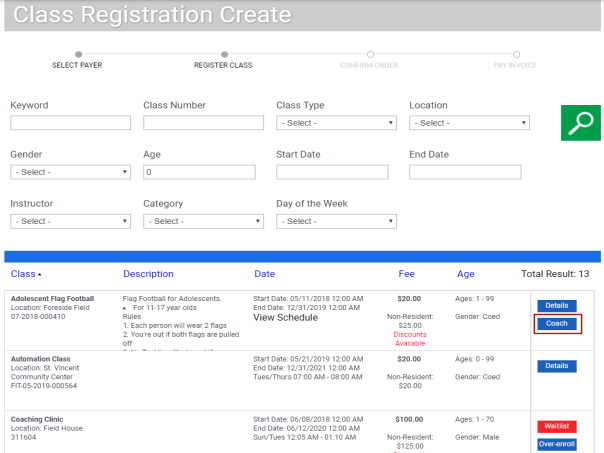
Clicking this button opens the Volunteer as Coach dialog for the corresponding class.
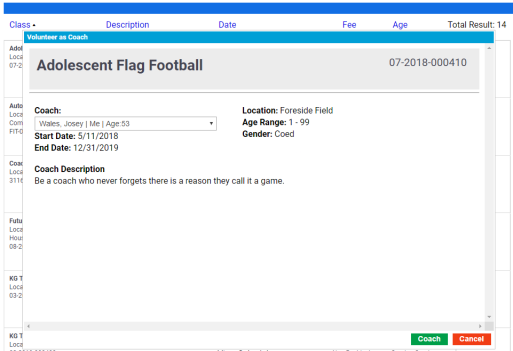
If a Coach Description was entered on the Class Details page, it displays here.
Family contacts associated with the payer are available for selection on the Coach drop-down.
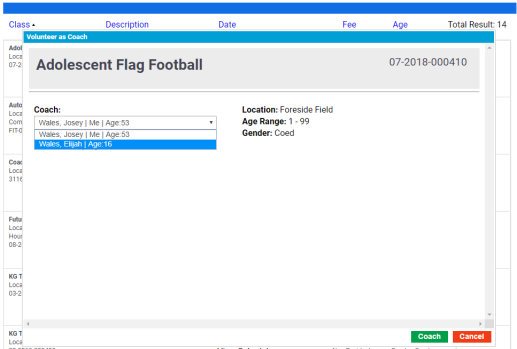
Validation verifies the coach is at least 18 years old and has not already volunteered as a coach for the league.
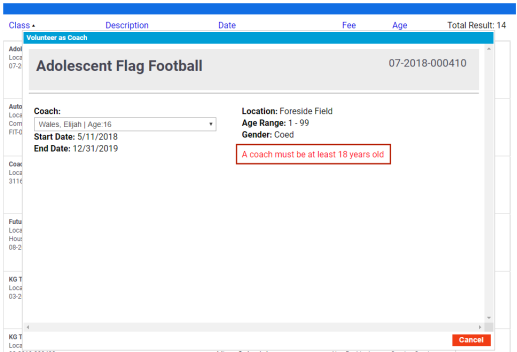
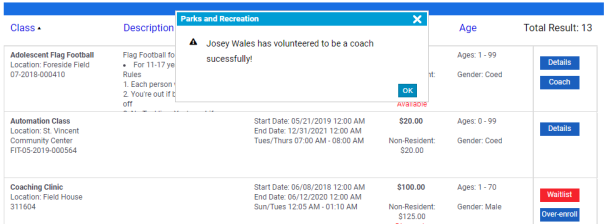
With the correct contact selected in the Coach drop-down, click the Coach button. A pop-up opens to confirm the volunteer coaching assignment.